Thursday, January 28, 2016

Embedded Dev - Long builds with Platform Verification Task

If you are experiencing an extremely long build time on a windows mobile C# project with Visual Studio 2008, you can try to disable Platform Verification Task.
Platform Verification Task (PVT) is a post-build validation step to catch the unsupported PMEs before they can result in a runtime exception.
Go to file: C:\Windows\Microsoft.NET\Framework\v3.5\Microsoft.CompactFramework.Common.targets

Search the following element:
<Target
        Name="PlatformVerificationTask">
        <PlatformVerificationTask
            PlatformFamilyName="$(PlatformFamilyName)"
            PlatformID="$(PlatformID)"
            SourceAssembly="@(IntermediateAssembly)"
            ReferencePath="@(ReferencePath)"
            TreatWarningsAsErrors="$(TreatWarningsAsErrors)"
            PlatformVersion="$(TargetFrameworkVersion)"/>
</Target>

and add the bold line:

<Target
        Name="PlatformVerificationTask">
        <PlatformVerificationTask
   Condition="'$(DoPlatformVerificationTask)'=='true'"
           PlatformFamilyName="$(PlatformFamilyName)"
           PlatformID="$(PlatformID)"
           SourceAssembly="@(IntermediateAssembly)"
           ReferencePath="@(ReferencePath)"
           TreatWarningsAsErrors="$(TreatWarningsAsErrors)"
           PlatformVersion="$(TargetFrameworkVersion)"/>
</Target>
Finally restart Visual Studio, rebuild your project and the problem should be  fixed.

Thursday, May 14, 2015

Internet of Things (IoT) @ TTG

When: May, 14 at 6 PM
Where: Corso Castelfidardo 30 Torino - Sala Microsoft Innovation Center


Spark.io Overview, IoT arduino-like device, easy and cheap
Marco Bodoira and Roberto Nocera will make a spark products overview, showing examples and reporting amazing experience at FabLab laboratory.

Internet Of Things: a real example
Beppe Platania and Gianni Rosa Gallina will describe their app applied to construction equipment, using .Net Microframework and Microsoft Azure Cloud.

Register here for free
http://www.torinotechnologiesgroup.it/eventi/15-05-05/Incontro_community_14_maggio_2015.aspx

Sunday, February 1, 2015

Spark Night Lab @ FabLab Torino


the event registration page on eventbrite is: https://www.eventbrite.it/e/biglietti-spark-night-lab-15495257733
landing page of the event with all details : http://sparknightlab.eventify.it/
the page of the event on fablab site is : http://fablabtorino.org/eventi/


Wednesday, December 3, 2014

Remote Spark for Windows Phone

Remote Spark for Windows Phone is a project that I started to enable remote control on Spark device already described on my last post.
This app, with source code published on codeplex,  allows you to turn on/off two leds and get temperature from your spark device.


How to use it
1. build following simple circuit, using spark maker kit. This circuit is the merge of blink an led, control leds over the net and measuring temperature examples:


2. Flash on your Spark device the following firmware, from https://www.spark.io/build :

// Define the pins we're going to call pinMode on
int led1 = D0;  // You'll need to wire an LED to this one to see it blink.
int led2 = D1; // This one is the built-in tiny one to the right of the USB jack
int temperature = 0;
double voltage;
// This routine runs only once upon reset
void setup() 
{
  Spark.function("led", ledControl);
  Spark.variable("temperature", &temperature, INT);
  // Initialize D0 + D7 pin as output
  // It's important you do this here, inside the setup() function rather than outside it or in the loop function.
  pinMode(led1, OUTPUT);
  pinMode(led2, OUTPUT);
  digitalWrite(led1, LOW);
  digitalWrite(led2, LOW);
  // Connect the temperature sensor to A7 and configure it
  // to be an input
  pinMode(A7, INPUT);
}

void loop() 
{
  temperature = analogRead(A7);
  voltage = (temperature * 3.3)/4095;
  temperature = (voltage - 0.5) * 100;
}

int ledControl(String command)
{
    int state = 0;
    int pinNumber = (command.charAt(1) - '0') -1;
    if(pinNumber <0 || pinNumber >1)
      return pinNumber;
      
    if (command.substring(3,7) == "HIGH") 
      state = 1;
    else if(command.substring(3,6) == "LOW") 
      state = 0;
    else    
      return -1;
    digitalWrite(pinNumber, state);
    return 1;
}

3. Download my project from codeplex and set your DeviceId and Token in Spark.cs class.
4. Deploy the app on your phone

When you change toggle to turn on/off leds, RemoteSpark will send a POST request to spark cloud:

internal async static Task<LedResponse> Set(string p1, string p2)
        {
            LedResponse result = null;

            using (var request = new HttpClient())
            {
                string postData = string.Format("params={0},{1}", p1, p2);
                byte[] byteArray = Encoding.UTF8.GetBytes(postData);
                var stringContent = new StringContent(postData, Encoding.UTF8, "application/x-www-form-urlencoded");
                request.DefaultRequestHeaders.Authorization = new AuthenticationHeaderValue("Bearer", Token);
                var response = await request.PostAsync(string.Format("https://api.spark.io/v1/devices/{0}/led", DeviceId), stringContent);
                var json = await response.Content.ReadAsStringAsync();
                result = JsonConvert.DeserializeObject<LedResponse>(json);
                result.PlainJson = json;
                if (result.return_value == "1")
                    result.ok = true;
            }
            return result;
        }

Pressing Get temperature button, RemoteSpark will send following GET request:

 internal async static Task<TemperatureResponse> GetTemperature()
        {
            TemperatureResponse result = null;
            using (var request = new HttpClient())
            {
                request.DefaultRequestHeaders.Authorization = new AuthenticationHeaderValue("Bearer", Token);
                request.DefaultRequestHeaders.IfModifiedSince = DateTime.Now;
                var response = await request.GetAsync(string.Format("https://api.spark.io/v1/devices/{0}/temperature", DeviceId));
                var json = await response.Content.ReadAsStringAsync();
                result = JsonConvert.DeserializeObject<TemperatureResponse>(json);
            }
            return result;
        }
Feel free to download and modify it for your projects!

Tuesday, August 5, 2014

Spark.io and Internet of Things

I was looking for an embedded device little, cheap and with Wifi support when I found Spark.io.
Surfing inside its website, I decided to buy the dev kit, 99$ (the core is only 39$). I took the version with embedded antenna because I'm lazy.
The dev kit contains the Spark core and a lot of hardware devices:
Getting started without an Android phone or Iphone, I had to connect the core to the PC with putty, following instructions to set WiFi password and retrieve core Id.
Once connected to the network, I followed the tutorial to switch on and off two LEDs.
Before I realized the hardware circuit:
Then I switched to programming. The code is compatible with language used on Arduino and IDE is available from a web interface: you need to log in and the IDE shows the sample projects that you can edit and automatically save to your cloud space.
The amazing thing is how to flash firmware via OTA. From a web page you press a lightning button: the project is recompiled and the core receives the update via WiFi. When the operation is complete, the device will continue to operate with the new firmware. 

In the next post I will blink LEDs and will show temperature using a Windows Phone app.

Tuesday, May 6, 2014

//publish/ @ Torino

Overnight Event: May 16 - 17
I3P, Incubatore Imprese Innovative Politecnico di Torino
Via Pier Carlo Boggio, 59 Torino, IT, 10138 Italy

Bring your existing app and game projects to the hackathon Microsoft //Publish/ event, to code with developers from around the world. Collaborate and get help with app design, performance, testing, publishing, porting from Unity – you name it. The //publish/ event is devoted to getting your app up and running smoothly on Windows phones, tablets, and PCs.

Receive onsite support from Microsoft and community experts to remove blockers and add the finishing touches to your project. Join a testing group of your peers and try your app out on a range of devices. Connect online with developers and Microsoft product specialists from all over the globe in simultaneous worldwide events. Show off your completed project at the App Showcase.

The following prizes will be awarded to showcase winners and there are special incentives to submit your app for publishing while at the event. Don’t forget – apps published to the Windows or Windows Phone Store before June 1st, 2014 are eligible for even more great prizes through the //publish/ Developer Contest.

Agenda Day 1

10:00 AM – 11:-00 AMRegistration/Event Welcome
11:00 AM – 12:-30 PMOpen Coding Session with Expert Support
12:30 PM – 1:30 PMLunch/Webcast
1:30 PM – 6:00 PMOpen Coding Session with Expert Support
6:00 PM – 7:00 PMDinner/Webcast
7:00 PM – 11:00 PMOpen Coding Session with Expert Support
11:00 PM – 12:00 AM4th Meal

Agenda Day 2

12:00 AM – 9:00 AMOvernight Coding Session with Expert Support
9:00 AM – 10:00 AMBreakfast/Webcast
10:00 AM – 1:00 PMOpen Coding Session with Expert Support
1:00 PM- 2:00 PMLunch/Webcast
2:00 PM – 5:00 PMOpen Coding Session with Expert Support
5:00 PM – 6:00 PMApp Showcase/Judging & Awards

More info at //publish/

Tuesday, February 4, 2014

Installing Windows Embedded 8.1 industry

In this post we'll see step-by-step how to install Windows Embedded 8.1 Industry.

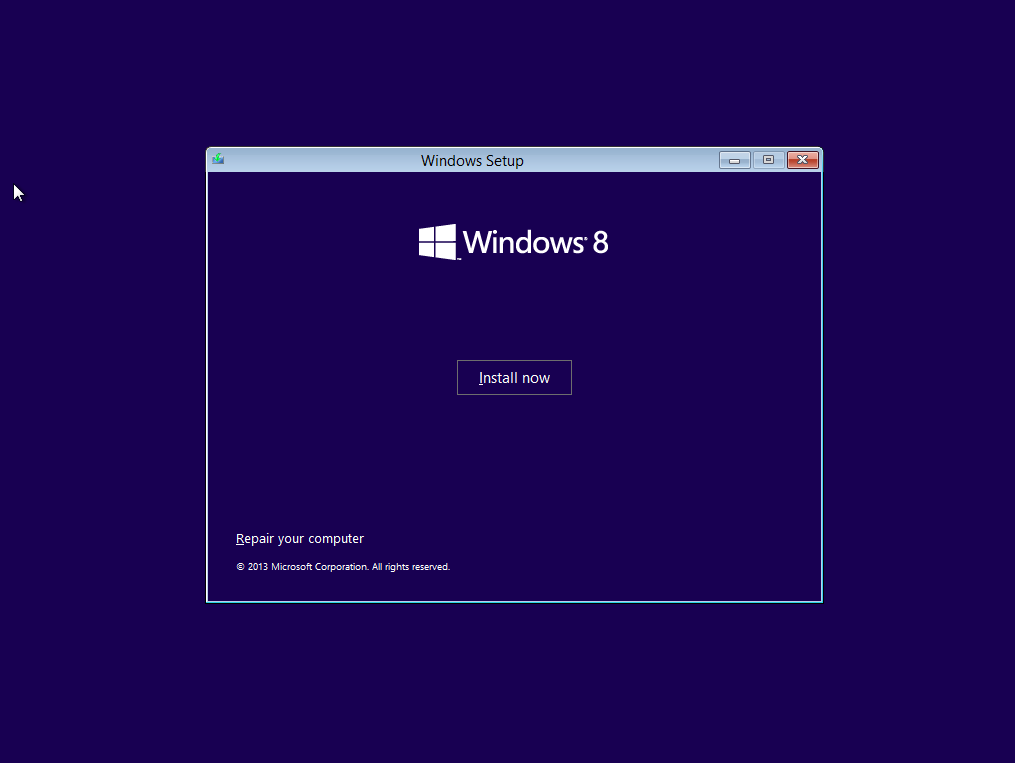
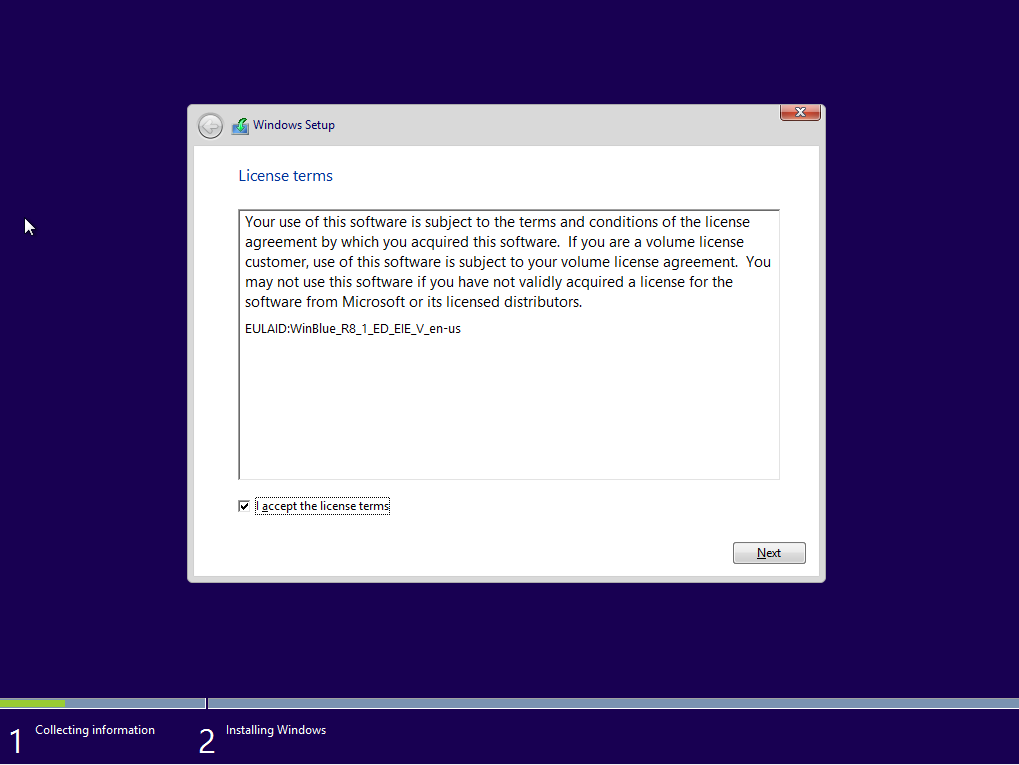
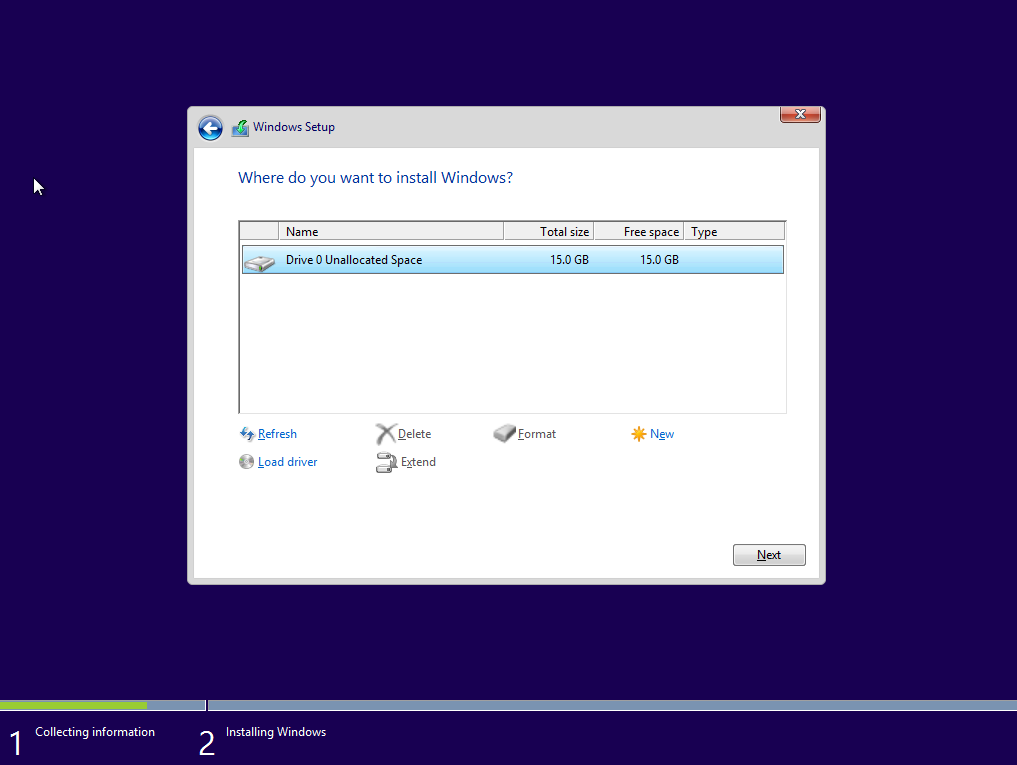
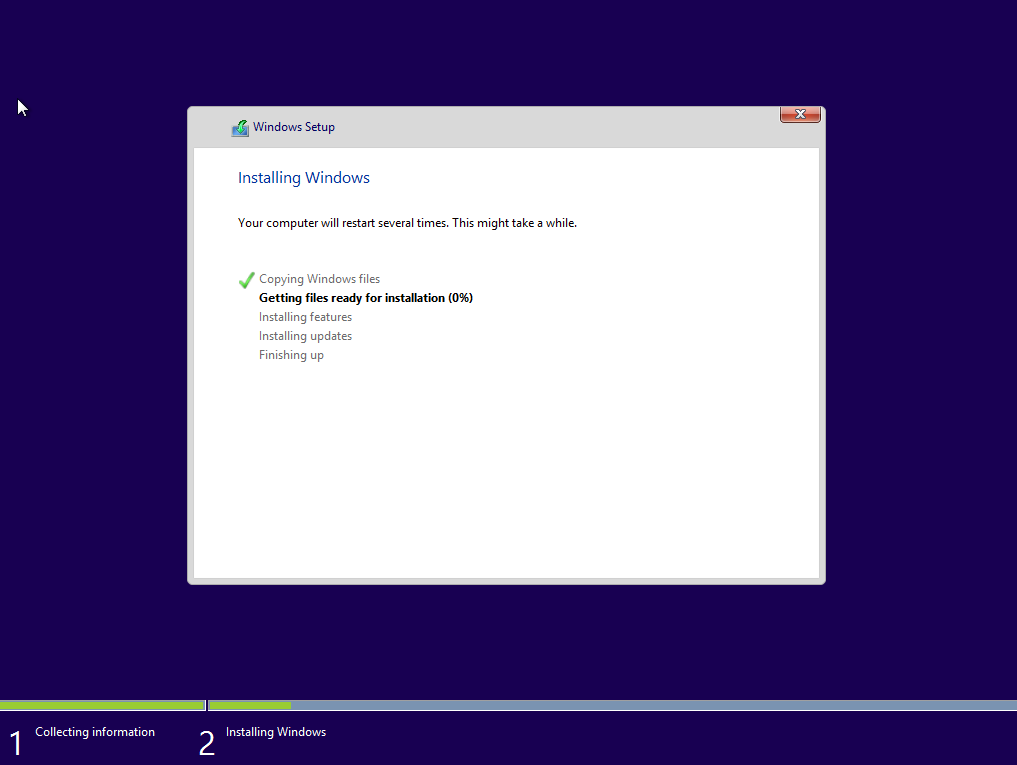
1. Installation

I'm using a Virtual Box machine, so I created a virtual machine for windows 8 with 2GB of RAM and 15 GB hard disk. 
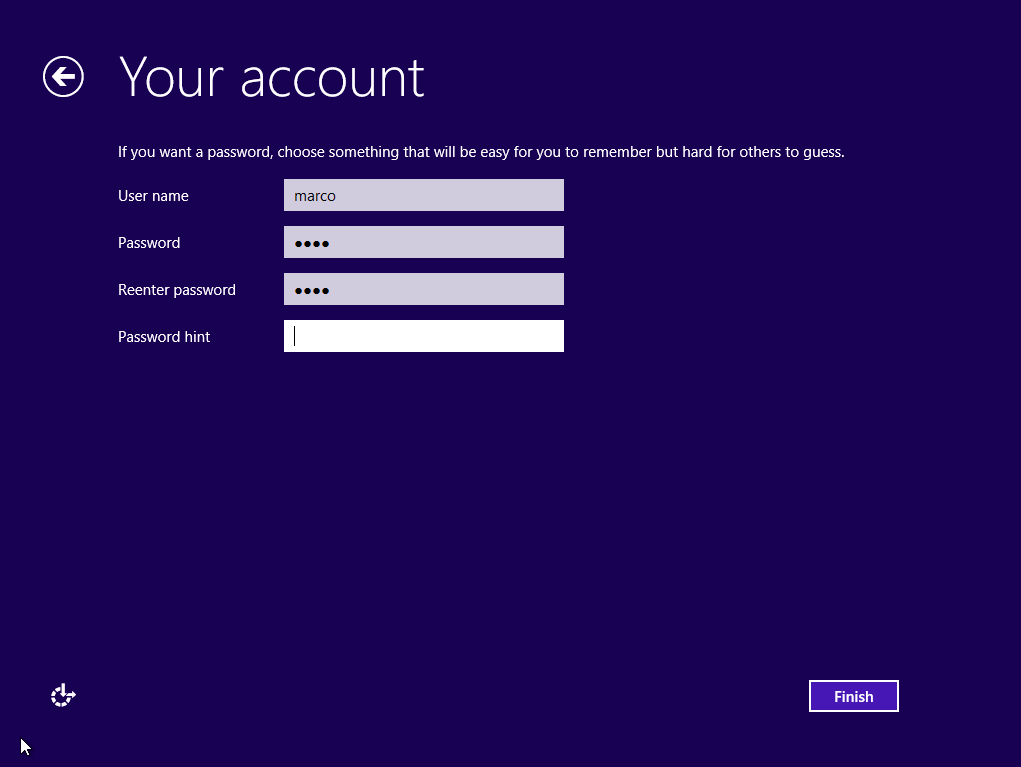
After that I loaded ISO image and it started installation: the same of Windows 8.1


2. Enabling Embedded features

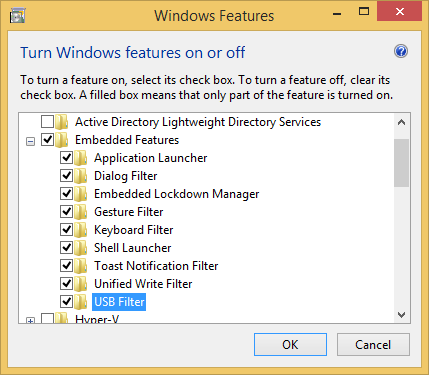
When installation is completed, you can digit Windows features on the start menu, and it will show you directly me turn on/off menu window. Scrolling the list, expand Embedded Features and select all sub items.


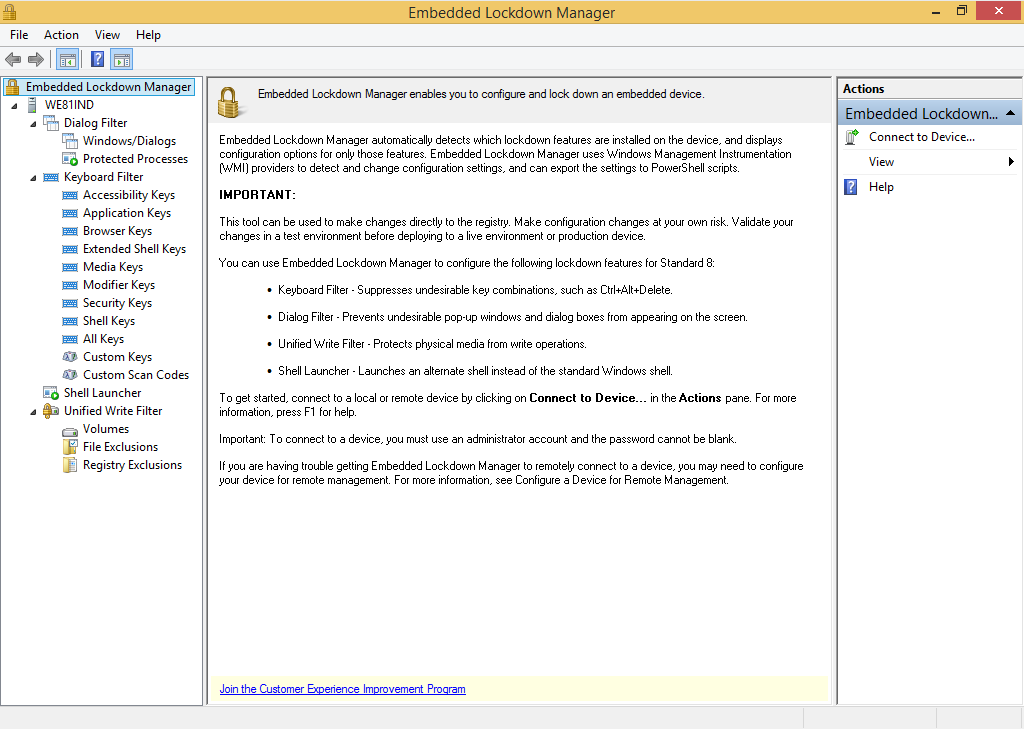
After restart you'll have Embedded Lockdown Manager available on apps list. 


In the next post will see how we can use it.


Tuesday, October 1, 2013

Microsoft MVP award 2013 reconfirmed!

I'm very happy to announce that I've been awarded Microsoft MVP (Most Valuable Professional)  for the third time!

I have to thank all people who supported me to achieve this result, especially Beppe and Gianni (reconfirmed embedded MVP too), with whom I shared a lot of events this year.


The Microsoft MVP Program is a worldwide award and recognition program that strives to identify amazing individuals in technical communities around the globe who share a passion for technology and the spirit of community. To become an MVP (Most Valuable Professional) candidates are nominated by Microsoft or other community members: they are rigorously evaluated for their technical expertise, community leadership and voluntary community contributions for the previous year. These individuals are chosen because they are exemplary community leaders who voluntarily share their passion and real-world knowledge of Microsoft products with others.

My MVP page http://mvp.microsoft.com/it-it/mvp/Marco%20Bodoira-4034914

Saturday, September 28, 2013

Windows Phone Day @ Milan, September 30th

On September 30th at Microsoft Innovation Campus in Milan, there will be the Windows Phone Day.
During the day, part of Windows Phone Week (https://twitter.com/winphoneweek), there will be covered interesting topics about Windows Phone development, explored by MVPs and Microsoft experts.
Here you have topics in agenda:

  • App and running in 60 minutes, Roberto Freato
  • MVVM pattern, Matteo Pagani
  • Windows Phone life cycle app,Dan Ardelean
  • Speech API and globalization, Lorenzo Barbieri
  • Azure Mobile Service, Eva Gjeci
  • NFC and Bluetooth, Michele Locuratolo


If you want to register, clich here!

Tuesday, June 25, 2013

My last app on Windows Store: Quoter

Create your own favorite postcards with Quoter: you can open and edit your photos, changing colors to black and white, adding a phrase, a dedication or a quote. 
Save and share your works with your friends!
You can download it FREE
http://apps.microsoft.com/windows/it-it/app/quoter/b702bbd0-23bc-4886-8700-34b2b25e3059

Monday, June 17, 2013

Windows Embedded Workshops Italy 2013

BEPS Engineering will participate at Windows Embedded Workshops 2013 organized by Avnet Embedded & Silica in collaboration with Freescale. In the FREE event will be a presentation on:

  • System on Module (SoM) Solutions
  • Freescale i.MX Application Processor ARM® Cortex™-A9

Avnet Embedded and Silica in collaboration with Freescale, are pleased to invite you to a technical seminar which will present modular solutions that use multi-core processors from Freescale i.MX family based on ARM® Cortex™-A9.

Together with two of the largest producers of Italian SoM, SECO and ENGICAM, we will be able to present application solutions both in terms of hardware and software.

SECO, the market leader in SoM and Qseven solutions, will illustrate how to escape from the trap of custom passing through the SOM revolution. In particular, it will be presented the development on i.MX6, emphasizing methods to reduce the Time-to-Market and the related risks / costs of the project.

ENGICAM, thanks to the experience gained in the SOM modules, will present solutions for applications such as Marine, Railway, Automotive, Motor Control, Display, Mobility, Qt 5, multitouch, gstreamer and realtime.

Hardware solutions will be integrated with software examples based on Microsoft Embedded CE and Linux.
Agenda

  • 09.00 - 09.30 Avnet Embeddded, SILICA and Freescale presentation
  • 09.30 - 10.00 Introduction to Freescale i.MX family
  • 10.00 - 10.15 Coffee break and showroom
  • 10.15 - 10.30 WinCE introduction
  • 10.30 - 13.00 SECO solution
  • 13.00 - 14.00 Lunch and showroom
  • 14.00 - 16.30 ENGICAM solution
  • 16.30 Q & A

Dates & Locations
27 June 20013 Milano

  • Avnet EMG Italy Srl Via Alessandro Manzoni 44 20095 Cusano Milanino

28 June 2013 Padova

  • c/o Uffici Silica - Avnet EMG Italy Srl Viale dell' Industria, 23 35129

11 July 2013 Roma 

  • c/o Novotel La Rustica Via Andrea Noale 291 00155
Register here: http://www.avnet-embedded.eu/news/events/som-workshops-italy.html

Friday, June 14, 2013

Microsoft announces general availability of Windows Embedded Compact 2013

Yesterday Microsoft announced the general availability of Windows Embedded Compact 2013, successor to Windows Embedded CE and Compact 7.
it is targeted at small-footprint devices used by retail, manufacturing, healthcare and other vertical industries. It includes powerful new tools and capabilities - including new support for Visual Studio 2012 - that extend the experience of Windows.

Windows Embedded Compact 2013 features include the following:

  • Improvements to the core operating system, including memory management and networking capabilities
  • Improved file-system performance, enabling devices to always be available
  • Optimized startup, with snapshot boot, which allows devices to boot within seconds to a known state, such as a specific UI with device drivers loaded
  • Built-in support for Wi-Fi, cellular and Bluetooth technologies, and a seamless connection to Windows Azure, for a robust, connected intelligent system
  • Support from thousands of developers and partners, who have built add-on solutions, including HTML5 browsers

Wednesday, June 12, 2013

Advanced Advertising System POC

Microsoft Innovation Center Torino, Arrow and BEPS Engineering present a proof of concept (POC) for public advertisement, the Kinect-Azure POC, following the roadmap of Intelligent System. The current solution has been focused on a real estate scenario, but the same technology can be applied in different application domains.

The POC system is composed by three elements:
- A Kinect for Windows that enables a natural user experience by means of simple gestures;
- An embedded system that runs the dedicated application and manages the Kinect device;
- A powerful and flexible cloud backend, based on the Windows Azure platform, which manages the contents and enables Business Intelligent paradigms.
More details in the presentation: Advanced Advertising System POC

Sunday, May 26, 2013

Autoscroll available on Windows Store

My new app is available on Windows Store!
AutoScroll allows to play your favorite text songs without scrolling tabs by hand.
You can create, edit and save your text files and view with automatic scroll.
If you have a tablet, you can use also accelerometer to manage speed and direction.


You can download it free here:
http://apps.microsoft.com/webpdp/app/db48b503-45d9-4500-ae4c-57e3fd1a1cb2

Monday, May 6, 2013

BEPS Engineering wins "Embedded Partner Excellence Award for Community Leadership 2012"

I am proud to announce that BEPS Engineering has been awarded for community leadership, as "Partners that have delivered the most impactful developer community engagement through evangelism, training or academics". Here there are all awarded companies:

You can read full press on the official Microsoft Embedded site.

Wednesday, April 24, 2013

Windows Embedded 8 Standard Train The Trainer @ Paris

Yesterday BEPS Engineering trainers attended to the Train The Trainer on Windows Embedded 8 Standard at Paris. 
The class was composed of several trainers from many european countries: With Beppe, Gianni, Dorangela and Salvatore we have accounted for almost half of the class. During the day we collected information and material to train at official course about new Microsoft embedded OS.
See you soon in our next courses!

Thursday, January 31, 2013

Windows Phone 7.8 update (and SDK update)

Windows Phone 7.8 update is officially started to come today, as it happened for my Nokia Lumia 800.
The main feature is the new homescreen with more room for resizable tiles.
Last week Microsoft released also the SDK update for Windows Phone 7.8. As written on official website, it adds the following to your existing Windows Phone SDK installation:

  • New Windows Phone Emulator 7.8 
  • New Windows Phone Emulator 7.8 256MB 
  • Functionality delivered in the Windows Phone SDK 7.1.1 Update (for Windows Phone SDK 7.1 users)
Note: Windows Phone SDK 8.0 or Windows Phone SDK 7.1 must be installed before you can install Windows Phone SDK Update for Windows Phone 7.8.
You can download it here http://www.microsoft.com/en-us/download/details.aspx?id=36474

Tuesday, January 8, 2013

Font Viewer available on Windows Store

It's available on Windows Store my latest application Font Viewer.


Font Viewer shows you all installed fonts on your device: you can view your text with all fonts, change color and style. Its' free and downloadable here: http://apps.microsoft.com/windows/it-IT/app/font-viewer/ac4483e4-83eb-4b0b-a612-5260a52396c5

Tuesday, December 25, 2012

marco bodoira's blog on Windows Store

Official marco bodoira's blog is available on Windows Store! You can use it to read latest news about embedded and mobile worlds.
It's free and you can download here
http://apps.microsoft.com/windows/it-IT/app/marco-bodoiras-blog/8596c948-959a-4b4b-882a-317bdfa7220f

Tuesday, December 18, 2012

Microsoft Embedded Conference @ Naples January 26th 2013

The cultural association DotNetCampania, in collaboration with the community TinyClr, organizes the first edition of Microsoft Embedded Conference on 26 January 2013 in Napoli.
It will be a day of sessions dedicated to development for embedded devices with Microsoft technologies.

The topics will range from the Intelligent Systems to the lightest embedded solutions such as Microsoft .NET Micro Framework and will be an opportunity to take stock of the situation on the supply current and new products that are just around the corner, for example, the embedded version of Windows 8.

The event is free, but availability is limited.

More information and registration on the web site of the event http://www.microsoftembeddedconference.it